
Setup guide
Build your online store three ways
Launch from the web dashboard, manage on mobile, or get a WhatsApp walkthrough. One 12Commerce control room for products, themes, COD, and orders.
Three paths to your first live store
Every path ends in the same storefront and order inbox.
From the dashboard
Sign up, add products, pick a theme, publish. Same control room for design and orders.
Open free signupFrom the mobile app
Manage orders, stock, and alerts on the go with the admin mobile app.
Start then use appWith WhatsApp help
Message +92 304 3632619. We help you launch the store and WhatsApp selling.
Chat on WhatsAppCustomize from the dashboard
Design Studio — what you actually edit
Themes are a canvas: brand the look, reorder sections, preview mobile, then publish.
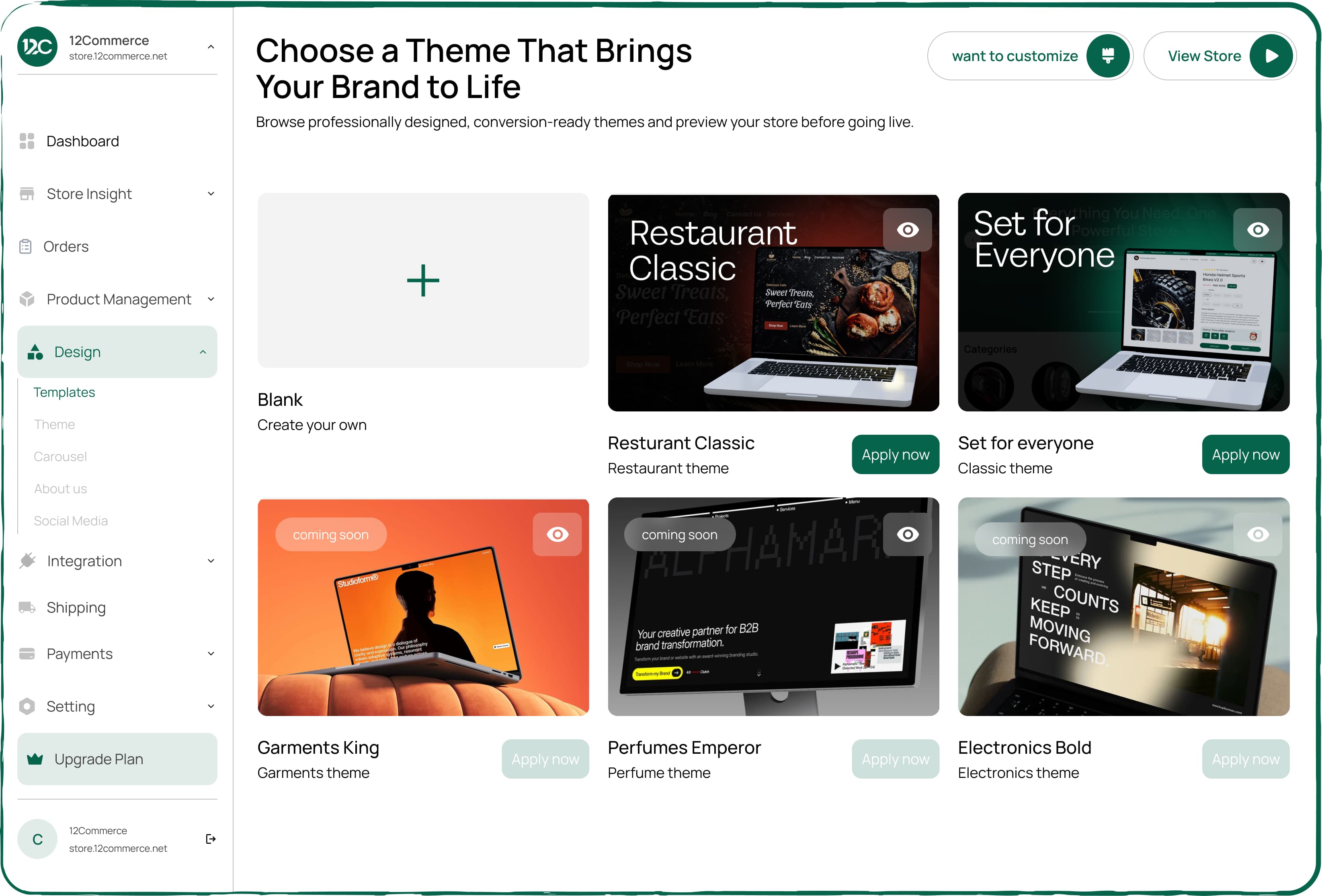
Step 1
Choose a theme
Pick a multi-page theme for fashion, food, electronics, or services — then replace demo content.
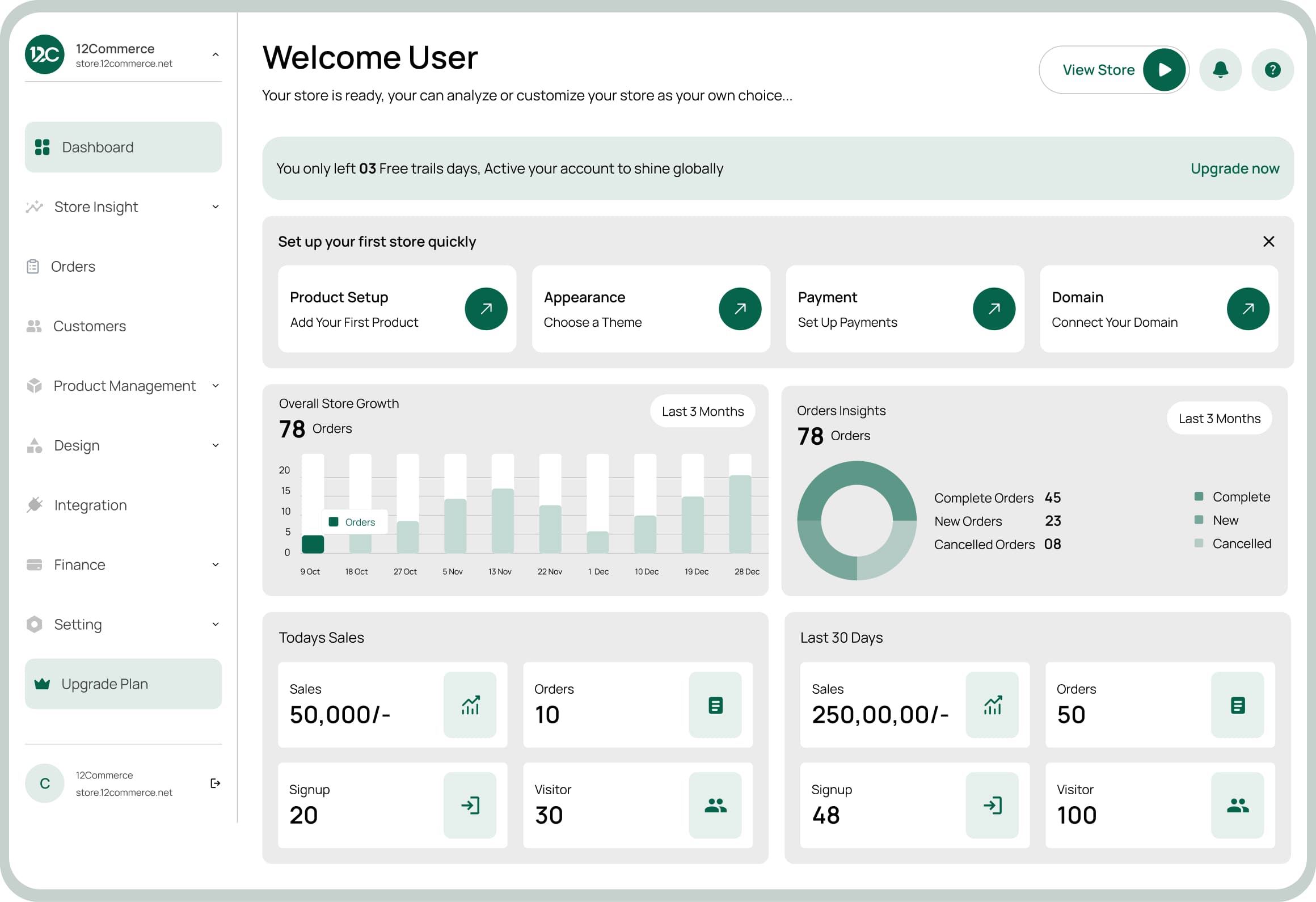
Step 2
Customize in Design Studio
Colors, fonts, logo, section order. Preview desktop and mobile before you publish.
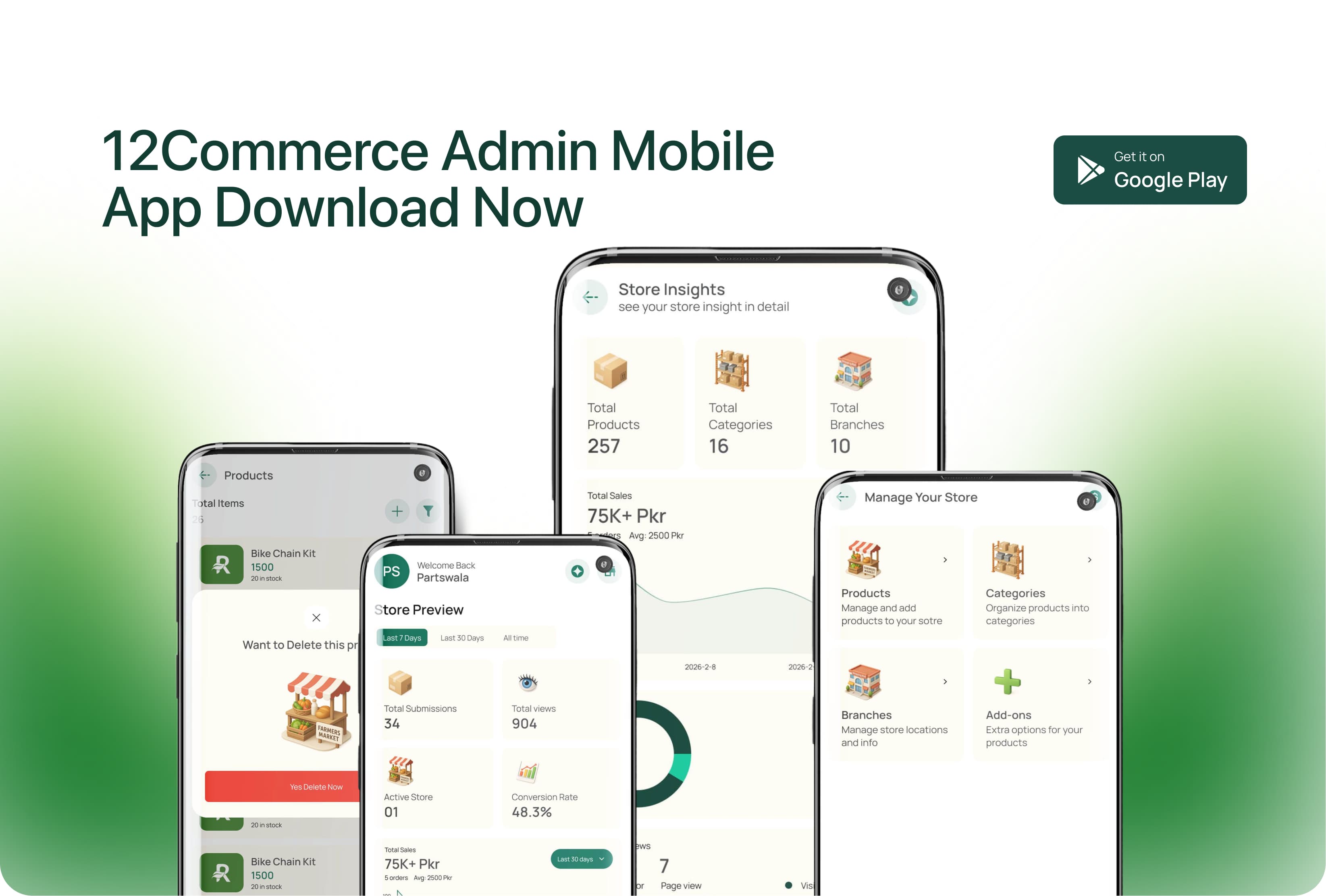
Step 3
Run from phone or chat
Confirm COD, answer product questions, update statuses from mobile — same catalog as the storefront.
WhatsApp setup line
Selling in DMs? Keep the chat — we turn it into a store with orders in the dashboard.
WhatsApp +92 304 3632619Or start at store.12commerce.com/signup

Launch checklist
- Free plan — no credit card
- Products, variants, COD & local payments
- Theme + Design Studio branding
- WhatsApp float button & order workflows
- Custom domain + automatic SSL
- Orders & leads in dashboard + mobile app
Deeper reading: features, WhatsApp ecommerce, blog.
Setup questions
Answers based on how 12Commerce works for merchants.
Can I build a 12Commerce store without coding?
Yes. Signup opens a guided checklist: widget or storefront, products, theme, publish. No developer required for a standard launch.
How do I create a store with WhatsApp help?
Message +92 304 3632619. Share what you sell and whether you have a domain or Instagram page. We walk you through signup, catalog, and WhatsApp selling.
Is there a mobile app to manage my store?
Yes. After you have a merchant account you can manage day-to-day operations from the admin mobile app plus the full web dashboard.
How do I customize my ecommerce website after launch?
Open Design Studio: brand colors, fonts, logo, homepage sections, announcement bars. Preview on mobile before publishing.
Can customers order on WhatsApp while I still have a website?
Yes. Storefront and WhatsApp share the same catalog. Chat and website orders both land in the dashboard.
Ready to open your store?
Start free on the dashboard, or message WhatsApp for guided setup.
 Build Stunning Stores FastSell Any Product, AnywhereGrow With Smart InsightsFull Business ControlBuild Stunning Stores FastSell Any Product, AnywhereGrow With Smart InsightsFull Business ControlBuild Stunning Stores FastSell Any Product, AnywhereGrow With Smart InsightsFull Business ControlBuild Stunning Stores FastSell Any Product, AnywhereGrow With Smart InsightsFull Business Control